Complete Beginner’s Guide to HappyMod
September 22, 2026 (4 weeks ago)
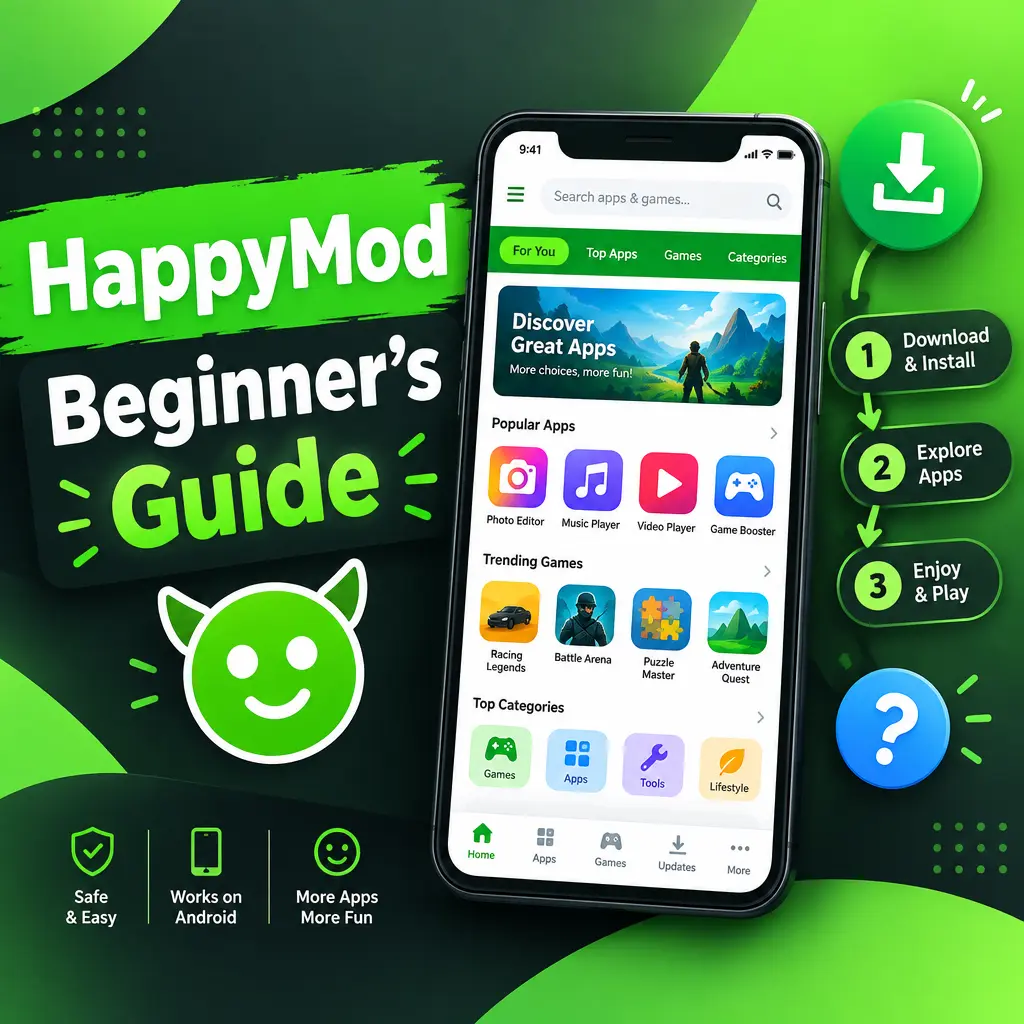
HappyMod is a marketplace for modified Android apps and games. These modified apps, often called “mods,” may include extra features, unlocked levels, custom settings, removed limits, or other changes made by third-party developers. For beginners, HappyMod can feel exciting but also a little confusing. This guide explains what HappyMod is, how it works, how to use it safely, and what you should know before installing anything on your phone.
What Is HappyMod?
HappyMod is an Android app marketplace that focuses on modded apps and games. Unlike the Google Play Store, where apps usually come directly from official developers, HappyMod hosts modified versions uploaded and tested by users. These versions may offer features that are not available in the original app.
For example, a game mod might include extra coins, unlocked characters, or custom gameplay options. An app mod might include premium-style tools, fewer restrictions, or extra customization settings. However, because these apps are changed from their original versions, users should be careful and understand the risks before downloading them.
Why Beginners Use HappyMod
Many new users try HappyMod because it gives them access to different versions of apps and games in one place. Some people use it to test features, explore alternative app versions, or customize their Android experience.
- Large mod library: HappyMod includes many modified apps and games across different categories.
- User-tested mods: Many listings show whether a mod works based on user feedback.
- Different versions: Some apps may have several mod versions with different features.
- Simple interface: The app is designed to be easy for beginners to search, download, and manage files.
- Community feedback: Comments and ratings can help users decide if a mod is worth trying.
Important Things to Know Before You Start
Before using HappyMod, it is important to understand that modified apps are not the same as official apps. They are changed by third parties, which means they may not always be safe, stable, or legal to use. Some mods may stop working after updates, crash often, or ask for permissions they do not really need.
You should also respect developers and app creators. If an app or game normally requires payment, a subscription, or in-app purchases, using a modified version to avoid paying may violate the developer’s terms. When possible, support official developers by downloading apps from trusted stores and paying for content you enjoy.
How to Get Started with HappyMod
HappyMod is not usually available on the Google Play Store, so beginners often install it as an APK file. An APK is the file format Android uses to install apps manually. This process is called sideloading.
- Use a trusted source: If you choose to download HappyMod, make sure you use the official HappyMod website or a source you trust. Avoid random download pages with too many pop-ups.
- Check your Android settings: Android blocks unknown app installs by default. You may need to allow installs from your browser or file manager.
- Download the APK file: Tap the download button and wait for the file to finish downloading.
- Open the APK: Find the file in your Downloads folder and tap it to begin installation.
- Review permissions: If the app asks for permissions, read them carefully before you continue.
- Install and open: Once installed, open HappyMod and explore the main screen.
If your phone warns you about installing unknown apps, do not ignore it blindly. Android gives this warning because apps outside the Play Store are not checked in the same way. Only continue if you understand the risk.
How to Search for Apps and Games
Once you open HappyMod, you will usually see categories, popular downloads, and a search bar. Beginners should start with the search feature because it is the fastest way to find a specific app or game.
- Tap the search bar at the top of the screen.
- Type the name of the app or game you want.
- Look through the results carefully.
- Choose a listing that has clear details, good ratings, and recent feedback.
- Read the mod description before downloading.
Do not download the first result immediately. Some apps may have multiple mod versions. One version might unlock levels, while another might change gameplay or add extra tools. Reading the description helps you choose the version that matches what you want.
Understanding Mod Details
Each HappyMod listing usually includes information about the app, version number, file size, mod features, and user comments. For beginners, this section is very important. It tells you what has been changed and whether the mod works properly.
- Version number: Check if the mod is based on a recent version of the app.
- Mod features: Read exactly what the modified version claims to include.
- User votes: Look for feedback saying whether the mod works or does not work.
- Comments: Read recent comments to find problems like crashes, login errors, or missing features.
- File size: Be cautious if the file size looks very different from the normal app size.
A good habit is to avoid apps with very little information, poor ratings, or suspicious comments. If many users say the app does not work, it is better to skip it.
How to Download and Install a Mod
Downloading from HappyMod is usually simple. After choosing a mod, tap the download button and wait for the APK file to finish. Once it is downloaded, open the file and follow the installation steps on your phone.
- Make sure you have enough storage space before downloading.
- Install only one version of the same app at a time to avoid conflicts.
- If the app fails to install, uninstall the original version first, but only if you are comfortable losing local data.
- Do not give sensitive permissions unless they make sense for the app.
- Scan downloaded files with a mobile security app when possible.
Some apps may not install if the official version is already on your phone. This happens because Android sees them as the same app but with different signatures. If you remove the original version, remember that saved data may be deleted unless it is backed up online.
Safety Tips for Beginners
Safety should be your top priority when using any third-party app marketplace. Modified apps can sometimes contain harmful code, tracking tools, or unwanted ads. Even if most users are looking for fun features, you should stay careful.
- Avoid sensitive apps: Do not use modded banking, wallet, shopping, password manager, or email apps.
- Check permissions: A simple game should not need access to your contacts, messages, or call logs.
- Use antivirus protection: A good security app can help detect risky files.
- Read comments: User feedback can warn you about broken or unsafe mods.
- Keep backups: Back up important photos, files, and app data before installing unknown APKs.
- Update carefully: Updating a mod may remove features or cause errors, so read the update notes first.
Best Practices for a Better Experience
If you are new to HappyMod, start slowly. Try simple apps or offline games first instead of installing many mods at once. This makes it easier to spot problems if something goes wrong. Also, avoid logging into important personal accounts inside modified apps. Your account could be blocked by the official service if mods break its rules.
- Test one mod at a time.
- Restart your phone after installing large games.
- Delete APK files you no longer need to save space.
- Use official apps for anything private or financial.
- Support developers by buying apps and games you truly enjoy.
HappyMod can be interesting for Android users who enjoy experimenting with modified apps and games. It offers a large collection, user feedback, and many custom options. Still, beginners should use it with care. Always read the details, check permissions, avoid sensitive apps, and respect the work of original developers. With the right habits, you can explore HappyMod more safely and make better choices before installing any mod on your device.
Recommended For You